
Last Tuesday, the 22nd, Instagram announced the “mute” mode. You know that friend who posts unnecessary stuff, or just posts too much? They're the perfect target for this new feature.
After muting an account, you'll still get notifications for comments or posts you've been tagged in by that person, and you'll still be able to see any of their posts by going directly to their profile. Muted accounts, of course, won't know you've muted them, and you can unmute the account at any time, so their posts start showing up in your feed again.
Ready for the tutorial? It's pretty simple.
Click the “…” menu in the corner of one of their posts, and tap the “mute” option. Then just choose whether you want to mute only posts or both posts and Stories from that account. Other ways to do it are by pressing the avatar in the Stories tray or clicking the “…” menu on the user's profile.
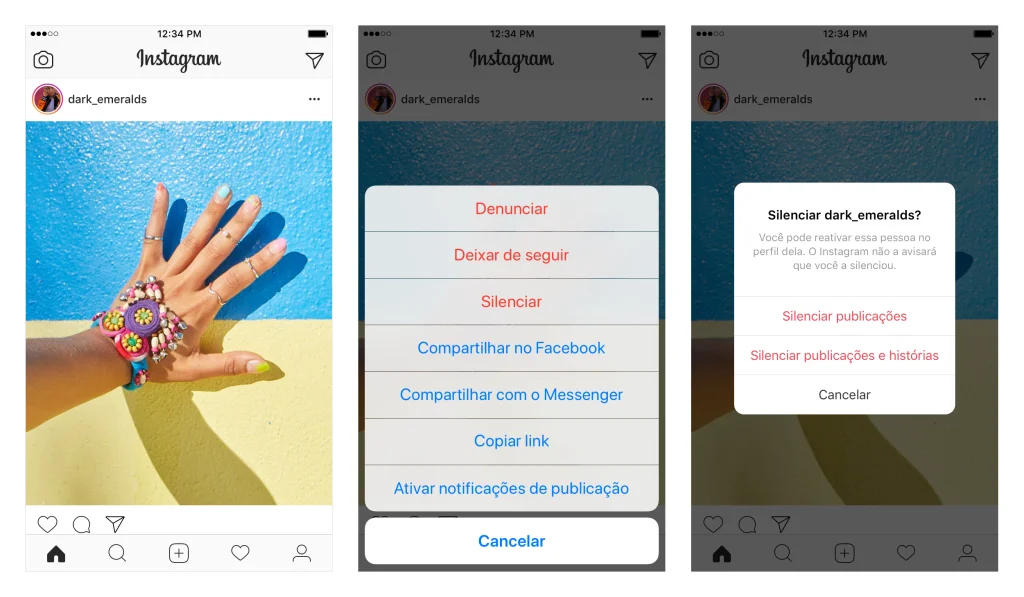
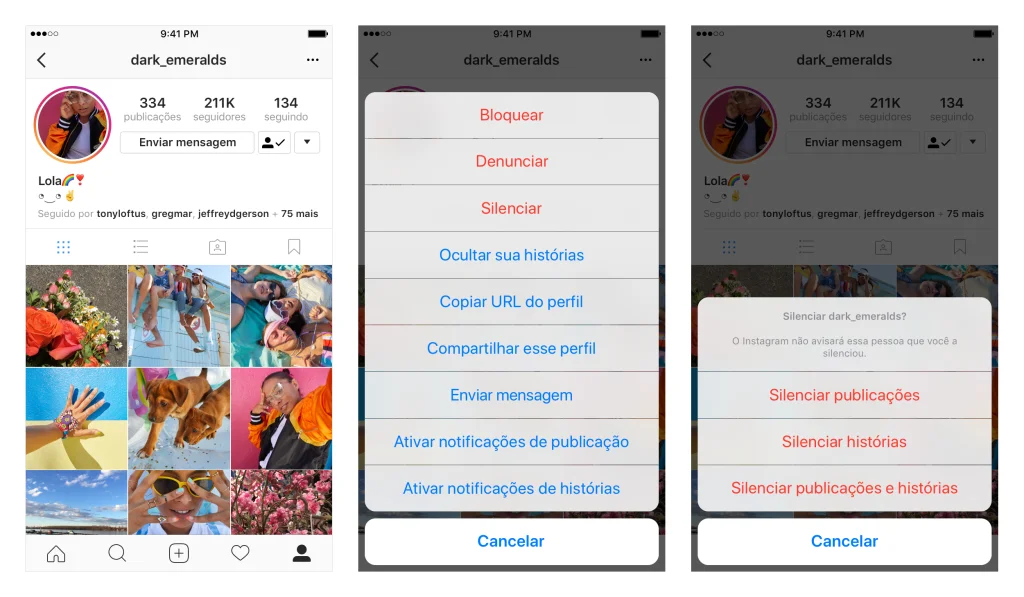
This new update aims to give users more control and personalization over their feed.
Liked it?
