
Google Analytics real-time reports let you monitor visitor activity on a site as it happens. The reports update continuously, and each pageview is recorded just seconds after it occurs, providing strategic insights for businesses at the very moment an email marketing campaign, a sponsored link, or social media activity is taking place.
Today Google announced 4 improvements to Google Analytics real-time reports. They are:
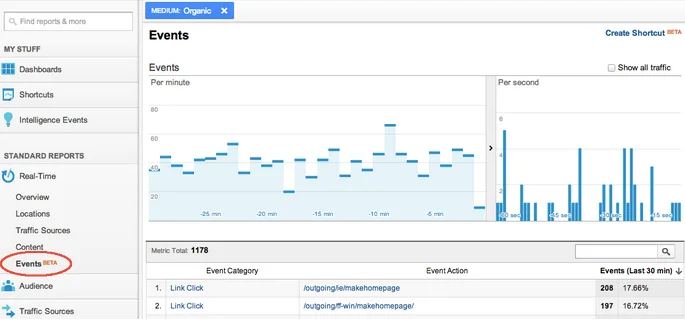
- Real-time event analysis
- Traffic segmentation by device: desktop, mobile, and tablet
- Shortcuts for favorite segments
- Comparison between filtered data and overall real-time data
Real-time event analysis
With the real-time events report, you can see the combined data for all events, or filter events by category and action. Clicking on any category lets you view all its details. In addition, any filter set anywhere in the real-time report is preserved in the events report.
Traffic segmentation by device
Now you can see in real time the type of device—desktop, tablet, or mobile—that visitors are using to access your site. Just like with the real-time events reports, you can easily filter data by device type.
Shortcuts for favorite segments
For those who constantly need to use segments within real-time reports, you can now use the “Create Shortcut” option to save your favorite segments. To access them, simply go to “Shortcuts” in the navigation menu and choose the segment.
Comparison between filtered data and overall real-time data
Finally, you can compare the information from filtered segments with the overall data in the real-time report. For example, you can see the real-time impact of visits to a specific page compared to the site's overall traffic at that exact moment.
Google Analytics real-time reports are evolving, showing that Google is investing in the tool. We here at On love the new features.
Source: Google Analytics blog
