
According to Instagram, it was designed “to make it easier to discover, organize, and share products, places, and posts from your favorite accounts”
Another new feature in 2020, huh, Instagram? The Guides tab is a new space that lets you gather a curation of posts and more complete content, displayed in a format similar to blogs.
If you feel like this isn't exactly new, you're right. Guides launched in May, during the first months of the pandemic, and was exclusive to select profiles to share information about COVID-19 and health in general. In November, it was announced that, due to the positive reception, the format was opened up to all profiles, adding the option of Product Guides, a new possibility for brands that already use shopping tags on Instagram.
Enough chit-chat, let's get to what matters: how it works and how I can use it in my business.
Understanding Instagram Guides
The goal of this new feature is to bring together several posts in one place and add text, allowing you to build a content curation on a given topic that's displayed like a blog post.
The cool part is the ability for profiles to develop denser, more complete content for their audience, reusing their own posts and adding content generated by other users.
Basically, it's a place where you can compile content about a certain topic. What used to be consumed separately is now in a single tab.
How to access it and start using it?
There are two ways:
1. Go directly to the profile of a user who uses the feature and click on the magazine-like icon to open an exclusive tab for the format, just like with IGTV and Reels.
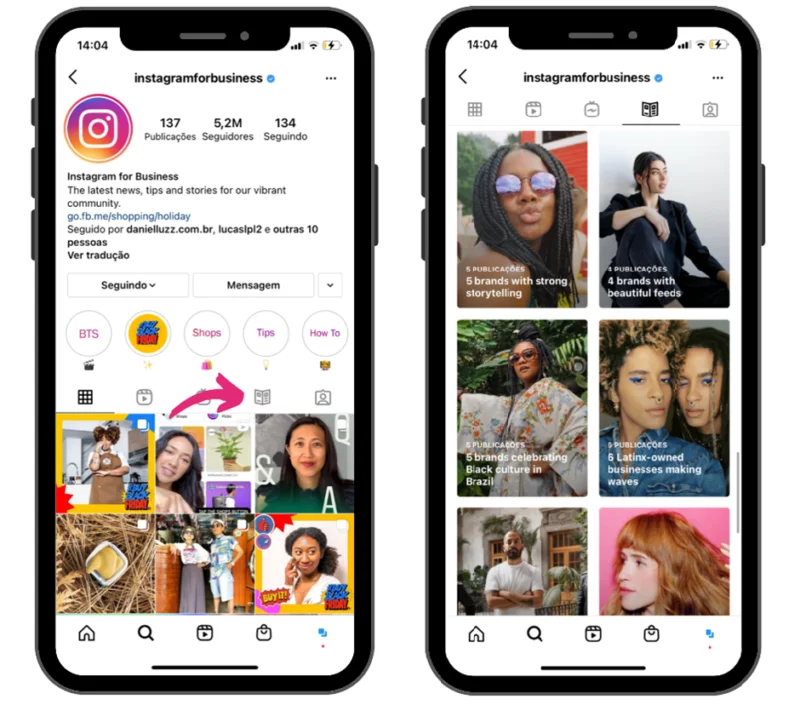
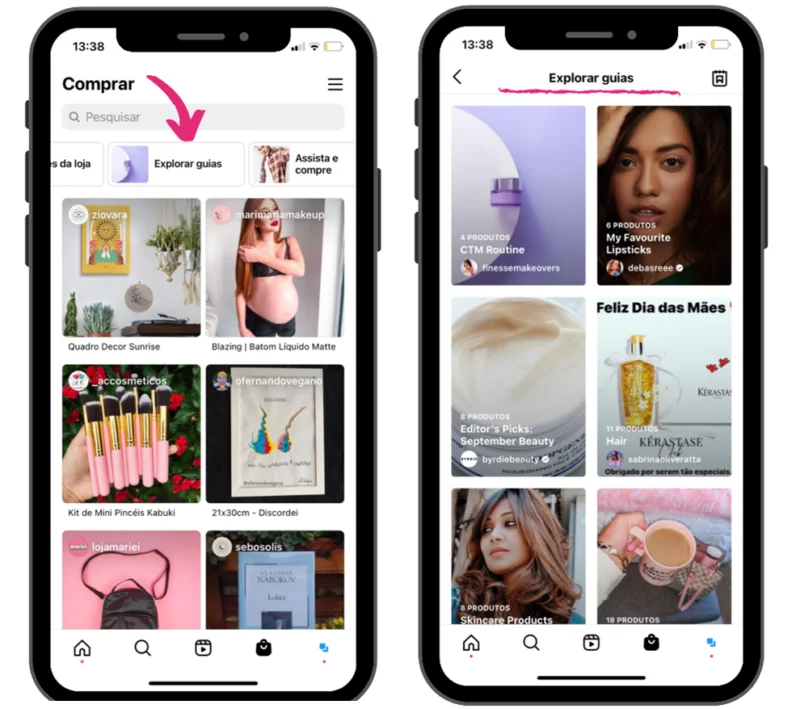
- The other option is for Product Guides, linked to Instagram Shopping. Click on the bag icon to open Shopping and, right below the search bar, swipe sideways to find the “Explore Guides” button. Then just tap it and start exploring the posts that show up there.
How to create and share a Guide?
On your own profile, click the “+” icon in the top right corner of the screen and select the “Guide” option. Choose one of the categories that appear and move on to the next step.
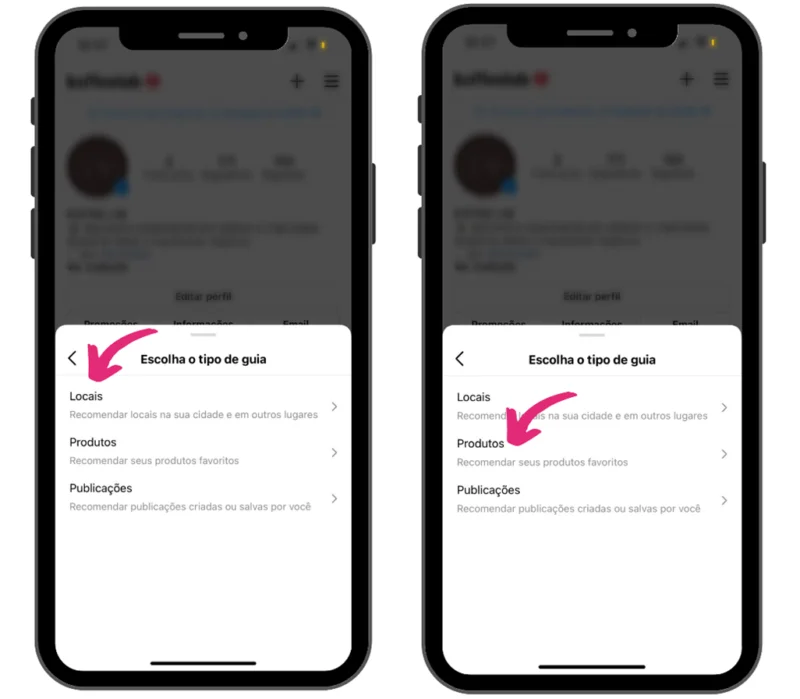
Types of Guides:
Places
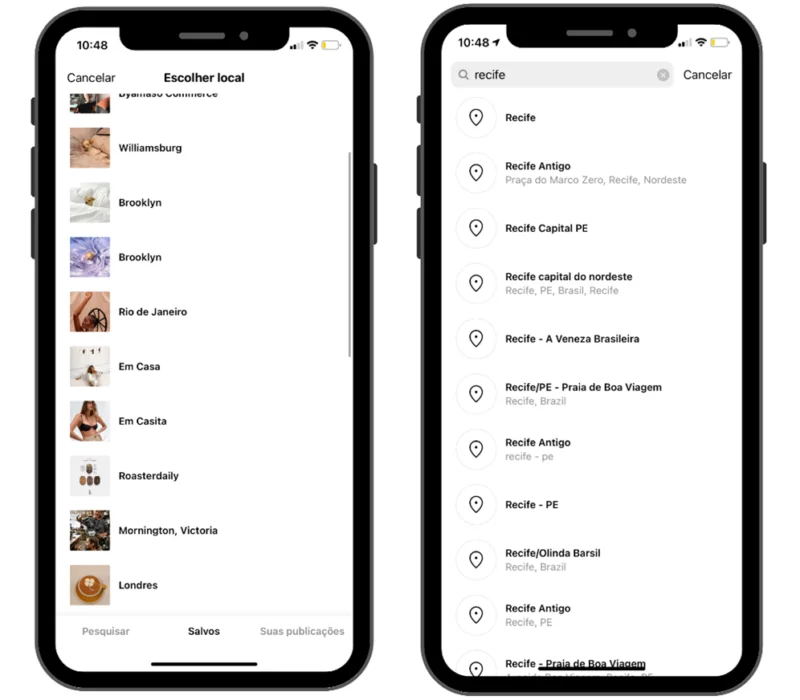
In this category, Instagram shows suggestions of locations near you, ones tagged in your posts, and ones in posts you've saved. You can pick one of them or use the search bar to find more options, and when you click on the locations, all posts tagged in that area are displayed. Select the ones you want to use to build your Guide.
Products
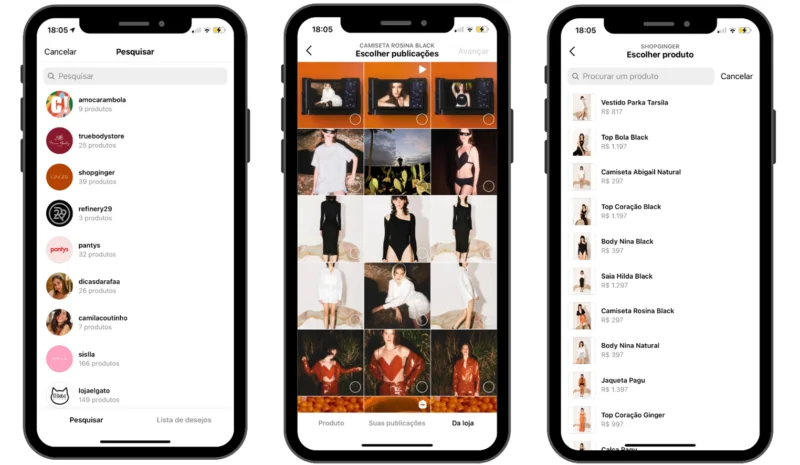
Here, you can select posts from any profile as long as they have products set up on Instagram Shopping. To add them to your Guide, you can choose the products themselves or posts with product tags in the regular Feed.
Posts
When you click on the Posts option, you'll see posts split into two tabs: those published on your account and those you've saved, which can be from other users. To use it, just choose the ones you want to display in your Guide.
Once selected, you can organize them in whatever order makes the most sense, add an intro text, titles, and descriptions for each post, however you see fit.
After publishing, you can share it on Stories and send it via direct message, just like you already do with Feed posts.
Examples of how to create content using this new feature
Instagram Guides can be used as an internal blog within Instagram itself, as a newsletter about a company and its products, or even to gather the main news on a given topic, in the case of newspaper and magazine profiles.
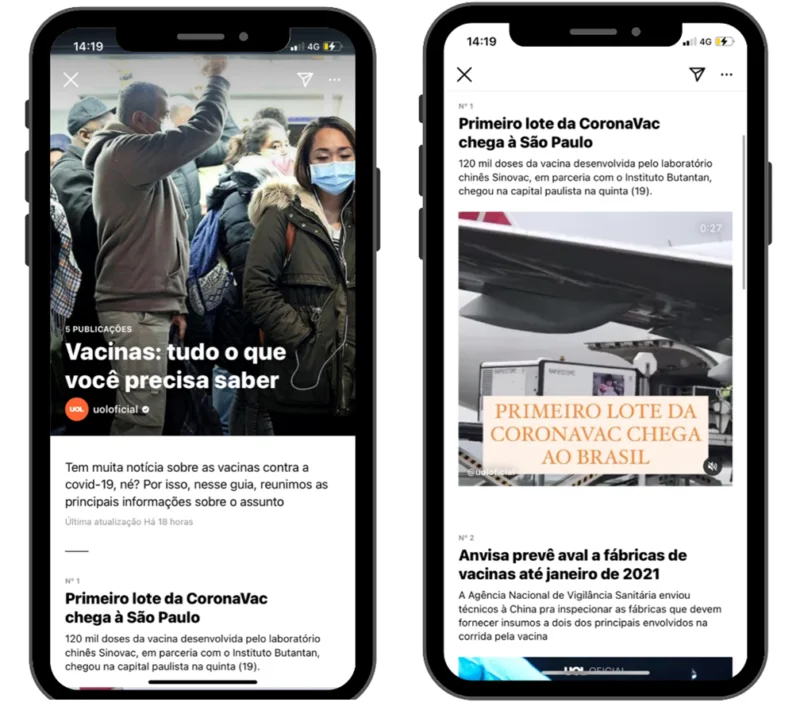
That's exactly what the news outlet UOL did, putting together a Guide with all its most recent posts with updates on the coronavirus vaccine, so readers can find the main information on the topic gathered in a single space:
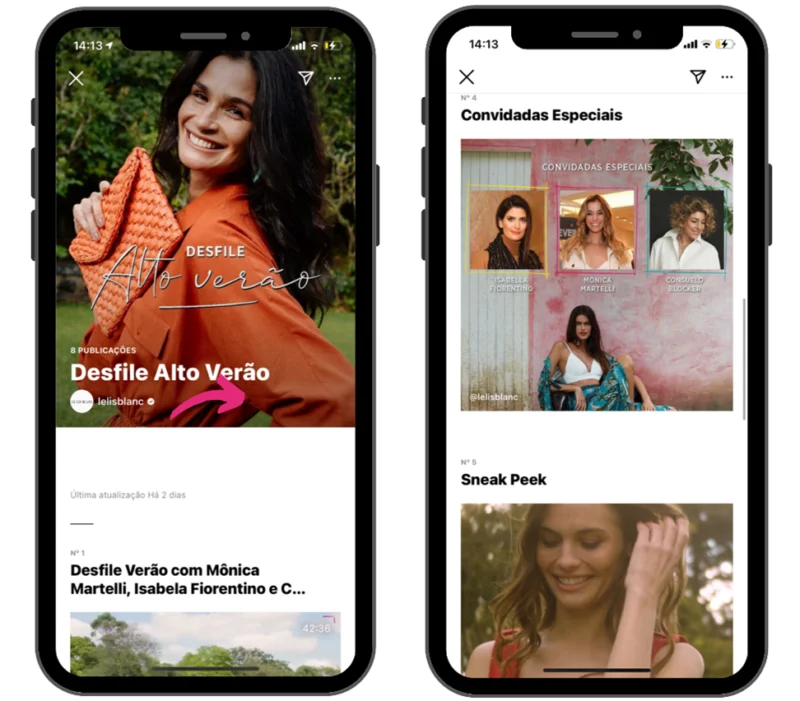
For those who use Instagram Shopping, taking the opportunity to create Product Guides that can be displayed in Explore with a selection of products by theme, deals, collections, or whatever makes the most sense for your brand is a great approach.
Le Lis Blanc, for example, put together the main posts about its new summer collection, including image and video posts on the Feed, plus a mini-documentary published on IGTV about the launch.
This new format is a great option for presenting yourself as a trustworthy source of information for your followers about your niche. Exploring Guides with quality content will strengthen your brand and bring you closer to your audience, who will start seeing you as an authority on the subject.
Best part? You don't need to prepare anything new to publish your first Guide. Do an overview of your old and new posts, check out other profiles in your field (except competitors, of course!), and compile content to create truly useful Guides.
Ready to put this new feature into practice?
